

If you’re tired of opening your browser every time on your Android phone, you can add the forum to your home screen so it works just like an app.
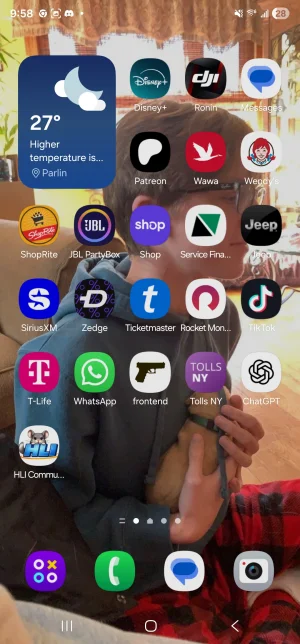
As you can see in the first photo my home screen does not have the "app" installed yet.
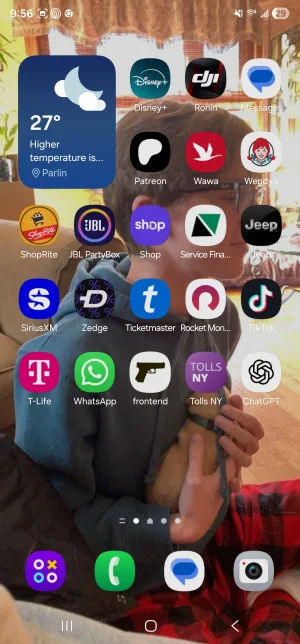
Step 1:
Go to your Google browser and go to hobbylinkinternational.community.forum
When you are there, click the 3 dots in the top right-hand corner.
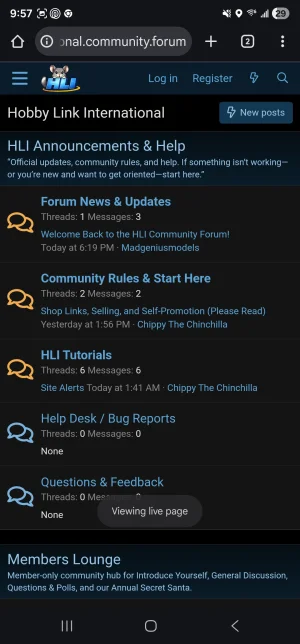
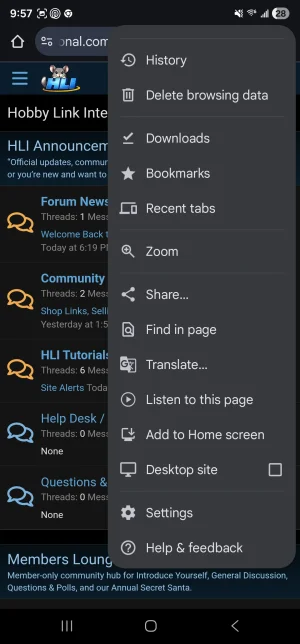
You will see a drop-down menu appear. In this menu you will click add to home screen.
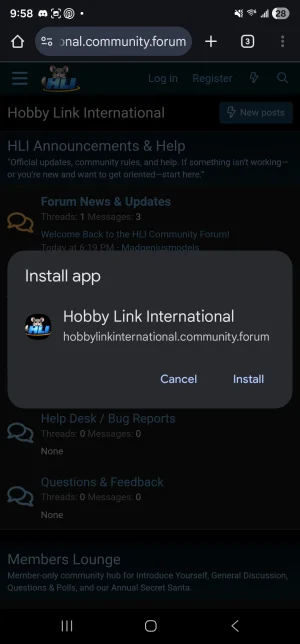
After you have clicked add to home screen you will get a message asking you to install the app. Click install.
Once you install it to your home screen you will now have the HLI Icon on your home screen. Mine appeared at the bottom left in the newest slot available.
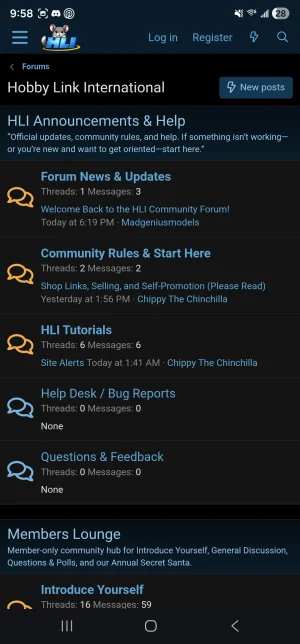
Once you click the icon you will get a fast splash screen of the HLI Logo

After the logo disappears, you will be able to log in as usual and use the site as you normally do.
I’m an Android user and don’t have an iOS device handy to test this myself, but it is possible. I had ChatGPT lay out the steps below so iPhone/iPad users can add the forum to their Home Screen.
As you can see in the first photo my home screen does not have the "app" installed yet.
Step 1:
Go to your Google browser and go to hobbylinkinternational.community.forum
When you are there, click the 3 dots in the top right-hand corner.
You will see a drop-down menu appear. In this menu you will click add to home screen.
After you have clicked add to home screen you will get a message asking you to install the app. Click install.
Once you install it to your home screen you will now have the HLI Icon on your home screen. Mine appeared at the bottom left in the newest slot available.
Once you click the icon you will get a fast splash screen of the HLI Logo
After the logo disappears, you will be able to log in as usual and use the site as you normally do.
I’m an Android user and don’t have an iOS device handy to test this myself, but it is possible. I had ChatGPT lay out the steps below so iPhone/iPad users can add the forum to their Home Screen.
- Open the forum in Safari (important — this works best in Safari).
- Tap the Share button (square with the up arrow).
- Scroll and tap Add to Home Screen.
- Rename it if you want, then tap Add.

