

How to set your theme from Dark Model
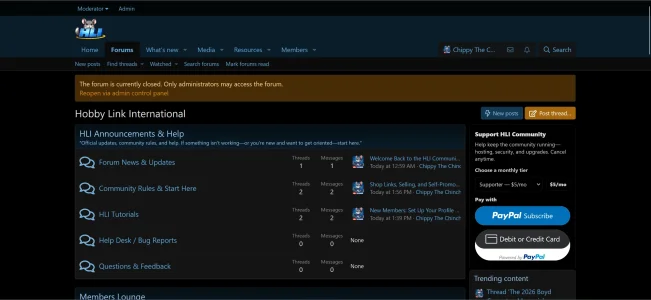
To Light Mode
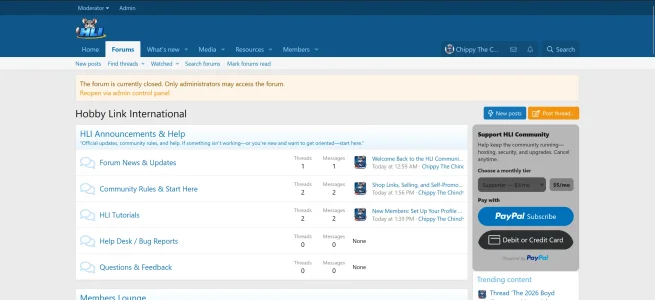
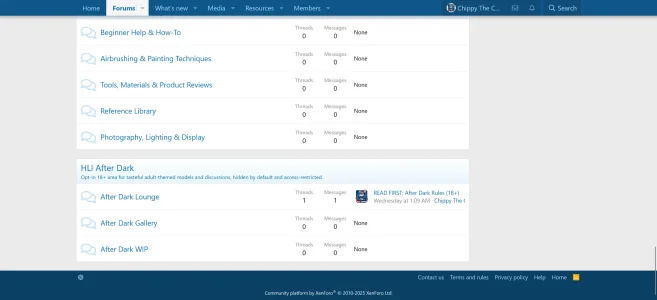
Scroll down the forum page until you hit the footer of the forum. At the bottom left in light mode you will see the cog wheel.
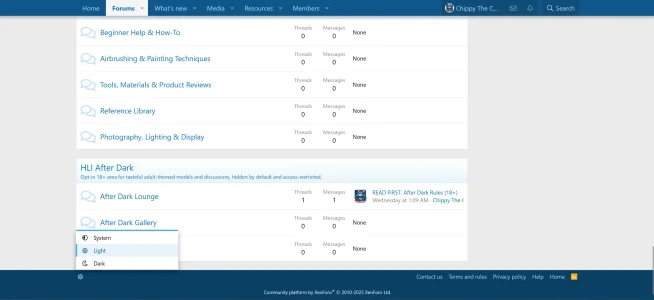
Click on the cog wheel, and the menu for the theme colors will pop up. You can choose any of the three options system, light, or dark. System and dark gives your theme the same dark look.
And, if you are in dark mode you will see a little crescent moon at the bottom left hand corner. You will proceed the same way by clicking it and choosing the color theme of your choice.
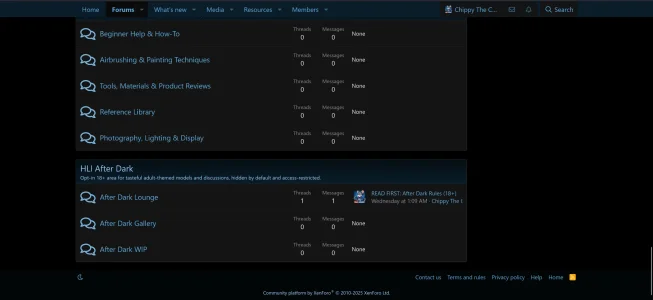
And, that is all that is to it to change your theme color.
To Light Mode
Scroll down the forum page until you hit the footer of the forum. At the bottom left in light mode you will see the cog wheel.
Click on the cog wheel, and the menu for the theme colors will pop up. You can choose any of the three options system, light, or dark. System and dark gives your theme the same dark look.
And, if you are in dark mode you will see a little crescent moon at the bottom left hand corner. You will proceed the same way by clicking it and choosing the color theme of your choice.
And, that is all that is to it to change your theme color.


