

Kenny Conklin
Seam Filler
To make the YouTube video player show in a post instead of just a hyper-link back to Youtube follow these steps.
First and easiest part is start a new thread, add your title, body, and pics if those are going to be added.
Next step is to go over to your YouTube Channel (or someone else's if you wanted to share their video)
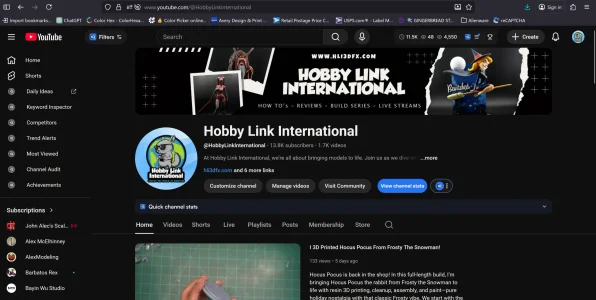
Once you are on the channel you want to share a video from either click on the video or shorts button in the menu
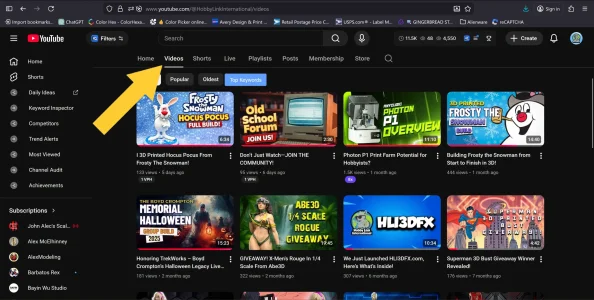
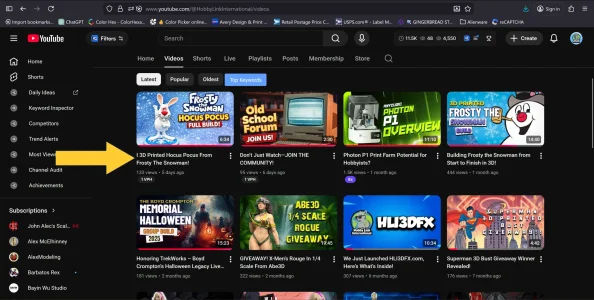
Choose the video you want to share by clicking on that specific video
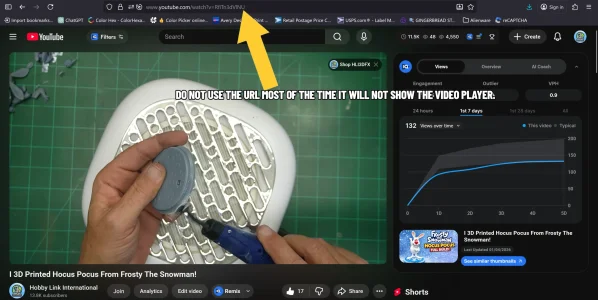
Once you are inside the video DO NOT CLICK on the URL to copy and past it. This may work sometimes but fails most of the time.
Instead in the menu below the video's title, click on the share button right after the thumbs up and thumbs down buttons. This will open up the share menu. Click the button that says copy.
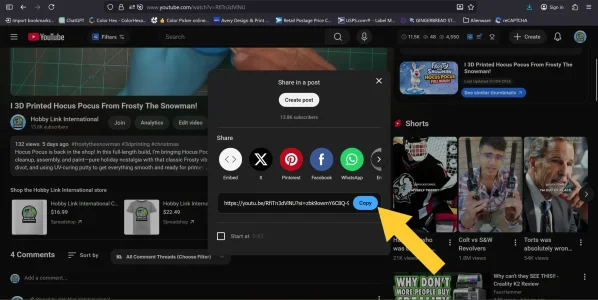
Once you have copied that link past it in the body of your post where you want it.
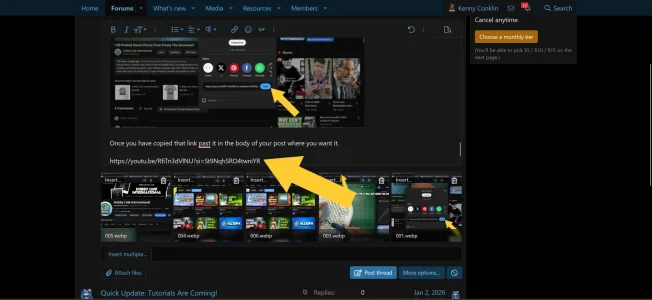
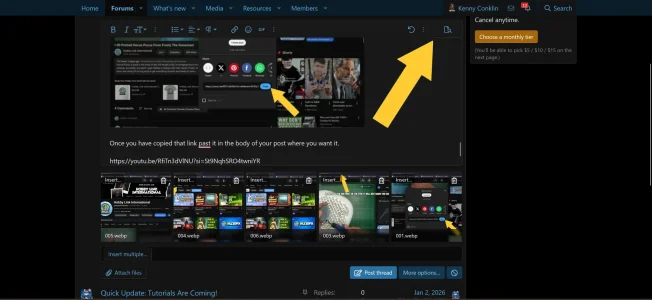
After you have placed the link where you want it, in the upper right hand corner of the post box click the preview button.
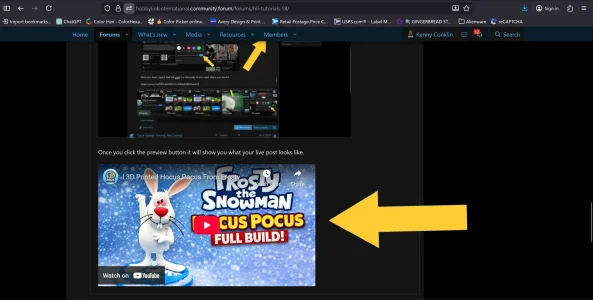
Once you click the preview button it will show you what your live post looks like. And, you will see the YouTube video player live in your post.
If you are still editing your post click the preview button again and it will bring you back to your post. When you are done editing and writing your post just click the post thread or post reply button depending on whether you started a thread or a reply to a topic.
And, that is it now your YouTube videos will have a player directly on the forum.
First and easiest part is start a new thread, add your title, body, and pics if those are going to be added.
Next step is to go over to your YouTube Channel (or someone else's if you wanted to share their video)
Once you are on the channel you want to share a video from either click on the video or shorts button in the menu
Choose the video you want to share by clicking on that specific video
Once you are inside the video DO NOT CLICK on the URL to copy and past it. This may work sometimes but fails most of the time.
Instead in the menu below the video's title, click on the share button right after the thumbs up and thumbs down buttons. This will open up the share menu. Click the button that says copy.
Once you have copied that link past it in the body of your post where you want it.
After you have placed the link where you want it, in the upper right hand corner of the post box click the preview button.
Once you click the preview button it will show you what your live post looks like. And, you will see the YouTube video player live in your post.
If you are still editing your post click the preview button again and it will bring you back to your post. When you are done editing and writing your post just click the post thread or post reply button depending on whether you started a thread or a reply to a topic.
And, that is it now your YouTube videos will have a player directly on the forum.


